Where Podcasters Learn, Grow, and Succeed
Since 2005, the School of Podcasting has been the podcasting industry’s most trusted educational resource. With over 3.1 million downloads, recognition from the Academy of Podcasters Hall of Fame, and podcasters in 100+ countries, we help creators launch stronger shows, grow engaged audiences, and build podcasts that last.
New to The School of Podcasting?
Nov. 30, 2025
In this episode, I circle back to a classic question: What do you wish you’d known when you started your podcast that you know now? This is a question I’ve asked in the past (shout-out to episode 768 back in 2021!), and while...
Jan. 4, 2026
If you want a podcast launch checklist I have one available here . This show is intended for beginners to podcasting. If you already have one, this may be one to skip (or you will hear things you should've thought about but d...
Our podcast has over 3 million downloads

Recent Blog Posts
March 5, 2026
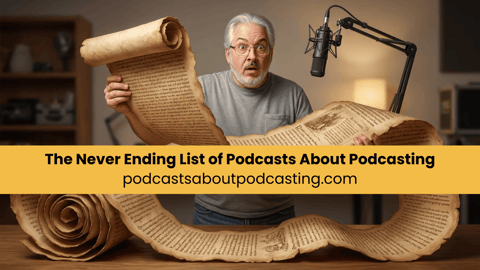
The Never Ending List of Podcasts About Podcasting
Active "How to" PodcastsSchool of Podcasting – Launch your podcast and grow your influenceAsk the Podcast Coach – Free podcast consulting with Dave Jackson and Jim Collison.Your Podcast …
Feb. 26, 2026
Avoid the Dangers of Free Media Hosts
You might be thinking, "what is so dangerous about a FREE service"? Well, it turns out free is not a good business model. Here is a list of companies that offered free media host that have gone out of business:Podshow/Mevio 8/2005 – 4/2014…

Feb. 13, 2026
Moving from Libsyn to Captivate (Without Breaking Your Podcast)
This content may contain affiliate links, meaning I earn a small commission if you purchase through these links at no additional cost to you. I only recommend products or services I trust and believe will provide value to you. Thank you for your sup…
Sponsors


Meet Dave!
I've been podcasting since April of 2005. My podcast about podcasting has been downloaded over 3.1 million times (as of 2022). I've helped hundreds of people launch podcasts. Before podcasting, I used my degree in education (specializing in technical education) to harness the power of hardware and software (going back to fax machines and this new thing called e-mail and the Internet).
To hear what my client say, please visit my testimonial page.
How Dave is Different
Unlike many other “geeks” who know how to podcast, I've been a technical trainer for over 20 years. This means not only do I understand the technology but I can explain it in a plain English “geek-speak free” environment. I have a Bachelor's Degree in Education from the University of Akron (Specializing in technical education). While there are other podcast consultants, I believe my experience sets me apart in regards to helping you make sense of the entire podcasting process. I not only help with the “how,” but I also help explain the why, and make sure you avoid the common podcasting pitfalls. I have won awards at fortune 500 companies for my customer service. In a nutshell, I care.
I am one of the top podcast consultants, and I have spoken at many marketing and media conventions including New Media Expo, Blog World, Erma Bombeck Writing Workshops, Podcamp Columbus, Podcamp Cleveland, Podcamp Cincinnati, and the Business of Writing Summit. I am the author of the book Profit From Your Podcast.
In 2014 I was named the Director of Podcasting for the New Media Expo the top event in the industry.
In 2018 I was inducted into the Academy of Podcasters Hall of Fame.
In 2020 I authored, Profit from Your Podcast (via skyhorse publishing).