How Does Podcasting Work? A Simple Guide for Brand New Podcasters
If you’re brand new to podcasting, it can feel like there’s this mysterious tech wall between you and getting your voice out into the world.
I get it. I mean, how does podcasting work?
My very first show was recorded in the basement of my brother’s house. It was called the Marketing Musician Podcast, then it went through a couple of rebrands and eventually became The Marketing Musician. I had no idea what I was doing—I just knew I had something to say and wanted to help musicians market their music.
So let’s break this down in plain English, no jargon, so you actually understand how podcasting works and how you can get started.
What Is a Podcast, Really?
A podcast isn’t just “audio on the Internet.”
A podcast is audio, video, or even PDF content that is syndicated via an RSS feed.
That RSS feed is the magic part. It’s what allows your content to automatically show up in apps like Apple Podcasts and Spotify when you publish a new episode.
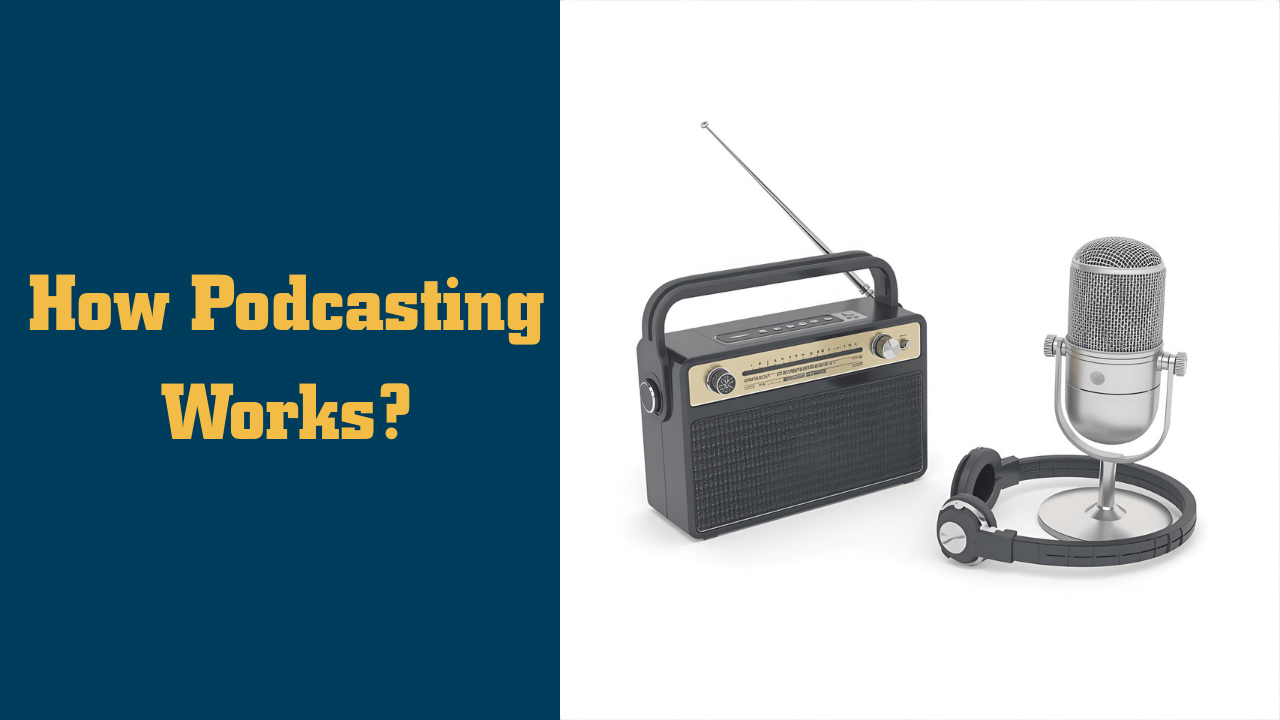
The Radio Analogy (That Makes This Click)
If podcasting were radio:
You are the DJ – you plan and create the content.
Your media host (like Captivate or Buzzsprout) is the radio station – it stores and serves your audio files.
Your RSS feed is the signal (like 97.5 FM) that carries your show out to the world.
Podcast apps (Apple Podcasts, Spotify, etc.) are the radios that “tune in” to your signal.
So people aren’t “subscribing to Apple” – they’re subscribing to your feed inside Apple’s app.
That’s the core of how podcasting works.
What You Need to Start: Gear That Won’t Break the Bank
A big place beginners get stuck is gear. They think they need a studio, a mixer, and a second mortgage.
You don’t.
Here’s some great, simple gear to get started:
Microphone:
Budget-friendly: Samson Q2U – USB/XLR mic, sounds great for the price.
What I currently use: Rode PodMic USB – rock-solid and flexible.
Recording & Editing Software:
Free and solid: Audacity – great for recording and basic editing.
What I use now: Hindenburg – built for spoken word, super easy to work with.
Captivate – powerful tools, excellent dynamic content features, and time-saving show notes tools.
Buzzsprout – also beginner-friendly and widely used.
Website for Your Show:
Podpage – makes a great podcast website with almost no tech skills required.
You don’t have to start with the “fancy” setup I’m using now. Start simple. Upgrade later if you want.
Remember: your podcast is a recipe, not a statue.
You can adjust ingredients as you go. It’s your show; you’re 100% in control.
How the Podcasting Workflow Actually Works (Step-by-Step)
So how does this all work in practice? Here’s a simple, real-world workflow.
1. Capture the Idea
Everything starts with an idea.
You get a question from a listener, a problem your customers keep running into, or a topic in your industry that needs explaining. You jot that idea down in a tool like Notejoy so you don’t lose it.
2. Plan the Value
Next, you ask:
“How can I make this useful for my audience?”
You outline the episode in a way that delivers value:
What problem are you solving?
What story or example can you share?
What action do you want your listener to take?
3. Record the Episode
You fire up Audacity or Hindenburg, plug in your mic, and hit record.
You talk to one person – that ideal listener – and walk them through your topic.
If you mess up? No big deal. Keep going. You can fix it in the next step.
4. Edit Out the Flubs
You edit your recording:
Remove big mistakes, long pauses, and “uhhhh” marathons.
Maybe add intro/outro music.
Export your final episode as an MP3 file.
5. Upload to Your Media Host
Next, you upload that MP3 file to your media host (like Captivate).
There you:
Add a title and description.
Paste in your show notes.
Set the episode number and publish date.
When you hit Publish, your media host:
Updates your RSS feed with the new episode.
6. The Apps Pick It Up (Syndication Magic)
Apple Podcasts, Spotify, and other apps are constantly checking your RSS feed.
Once they see a new episode:
They pull in the new info (title, description, file URL).
Your listeners see your new episode automatically in their app.
But here’s the key:
You only set up Apple, Spotify, etc. once.
After that, the syndication is automated.
You publish to your media host, your host updates the feed, and apps sync with your feed.
That’s it. That’s how podcasting works, end-to-end.
Common Misconceptions About How Podcasting Works
Let’s clear up a few myths that confuse almost everyone at first.
Myth 1: “Apple and Spotify host my audio files.”
Nope.
Apple Podcasts and Spotify (for traditional RSS-based podcasts) are directories and players. They don’t store your MP3s( they can but I don't recommend them or any free media host as a host). They simply read your RSS feed and link to the audio files hosted on your media host (like Captivate, Buzzsprout, etc.).
You don’t “upload your file to Apple.”
You upload your file to your media host. Apple reads that.
Myth 2: “If I publish it, listeners will magically appear.”
Publishing an episode just makes it available.
People still have to discover it.
That’s where your content, website, social media, networking, and overall strategy come into play. Podcasting is powerful—but it’s not a magic wand.
Myth 3: “YouTube is a podcast platform.”
This one’s subtle.
YouTube is a great place to post your show (if you want to do video – not every book needs to be a movie), and you absolutely can and should use it as a distribution channel.
But:
Technically, a podcast requires an RSS feed.
YouTube does not use RSS. So your YouTube show is a show… but not, in the strict definition, a “podcast.”
You can have:
A podcast (via RSS)
A YouTube show (video or audio with a static image)
Or both working together
Just don’t confuse YouTube hosting with traditional podcast hosting.
How Podcasting Works as a Marketing Engine
So that’s the tech. But how does podcasting work as a marketing arm of your business?
Simple: You use your podcast to answer your audience’s questions and talk about what’s happening in your industry.
When you:
Answer customer questions,
Share insights on industry trends,
Tell stories that resonate with your audience’s struggles,
you position yourself as an expert and a trusted guide.
People start to think:
“This is the person who understands my world.”
And that leads to:
Speaking gigs
Consulting opportunities
Product or course sales
Membership site growth
Brand awareness and authority
Real-World Example: Darren Dake
Darren Dake started his podcast simply wanting to talk to other coroners.
That’s a very specific niche.
Over time, as he consistently showed up and served that audience:
He landed speaking gigs.
He was hired for positions in his field.
He eventually created an online school where coroners can get the credits they need to keep their licenses up to date.
That’s podcasting at work:
Start with a microphone and a niche topic, end with a platform and a business.
My Own Story
When I started, I had no idea what I was doing.
I launched a podcast and eventually a podcast membership site connected to my content. I just kept:
Showing up,
Teaching what I knew,
Helping people with their podcasting questions.
Today:
I’ve been hired for multiple positions in the industry.
I’ve been able to speak all around the world.
I’m seen as an expert in podcasting.
And it all started with a podcast recorded in a basement.
That’s how podcasting works when you stick with it.
My Recommended “Just Tell Me What to Use” Stack
If you’re thinking, “Dave, this is great, just give me the checklist,” here’s what I’d recommend today:
Microphone: Rode PodMic USB
Recording & Editing: Hindenburg (or Audacity if you’re on a budget)
Media Host: Captivate (love their dynamic tools and show notes time-savers)
Website: Podpage (super easy and non-technical, built for podcasters)
Idea Capture: Notejoy (great for storing and organizing episode ideas)
Start simple. Learn the basics. Improve as you go.
Final Thoughts: Your Show, Your Rules
The biggest thing I want you to remember is this:
Your podcast is a recipe, not a statue.
You don’t have to get everything perfect from day one.
You can:
Change your format,
Improve your gear,
Rework your artwork,
Adjust your topics,
Even rebrand your show (I’ve done it multiple times!).
It’s your show. You’re in control.
Podcasting works by combining:
A simple technical system (host ? RSS ? apps),
A repeatable workflow (idea ? record ? edit ? publish),
And a bigger purpose (serving your audience and building authority).
When you understand those three pieces, podcasting stops being mysterious and starts being a powerful tool you can actually use.
Need help? You get five hours of one-on-one coaching with me every month when you join the School of Podcasting Community

I've been podcasting since April of 2005. My podcast about podcasting has been downloaded over 3.1 million times (as of 2022). I've helped hundreds of people launch podcasts. Before podcasting, I used my degree in education (specializing in technical education) to harness the power of hardware and software (going back to fax machines and this new thing called e-mail and the Internet).
To hear what my client say, please visit my testimonial page.
How Dave is Different
Unlike many other “geeks” who know how to podcast, I've been a technical trainer for over 20 years. This means not only do I understand the technology but I can explain it in a plain English “geek-speak free” environment. I have a Bachelor's Degree in Education from the University of Akron (Specializing in technical education). While there are other podcast consultants, I believe my experience sets me apart in regards to helping you make sense of the entire podcasting process. I not only help with the “how,” but I also help explain the why, and make sure you avoid the common podcasting pitfalls. I have won awards at fortune 500 companies for my customer service. In a nutshell, I care.
I am one of the top podcast consultants, and I have spoken at many marketing and media conventions including New Media Expo, Blog World, Erma Bombeck Writing Workshops, Podcamp Columbus, Podcamp Cleveland, Podcamp Cincinnati, and the Business of Writing Summit. I am the author of the book Profit From Your Podcast.
In 2014 I was named the Director of Podcasting for t…Read More
Avoid the Dangers of Free Media Hosts